 English
 العربية

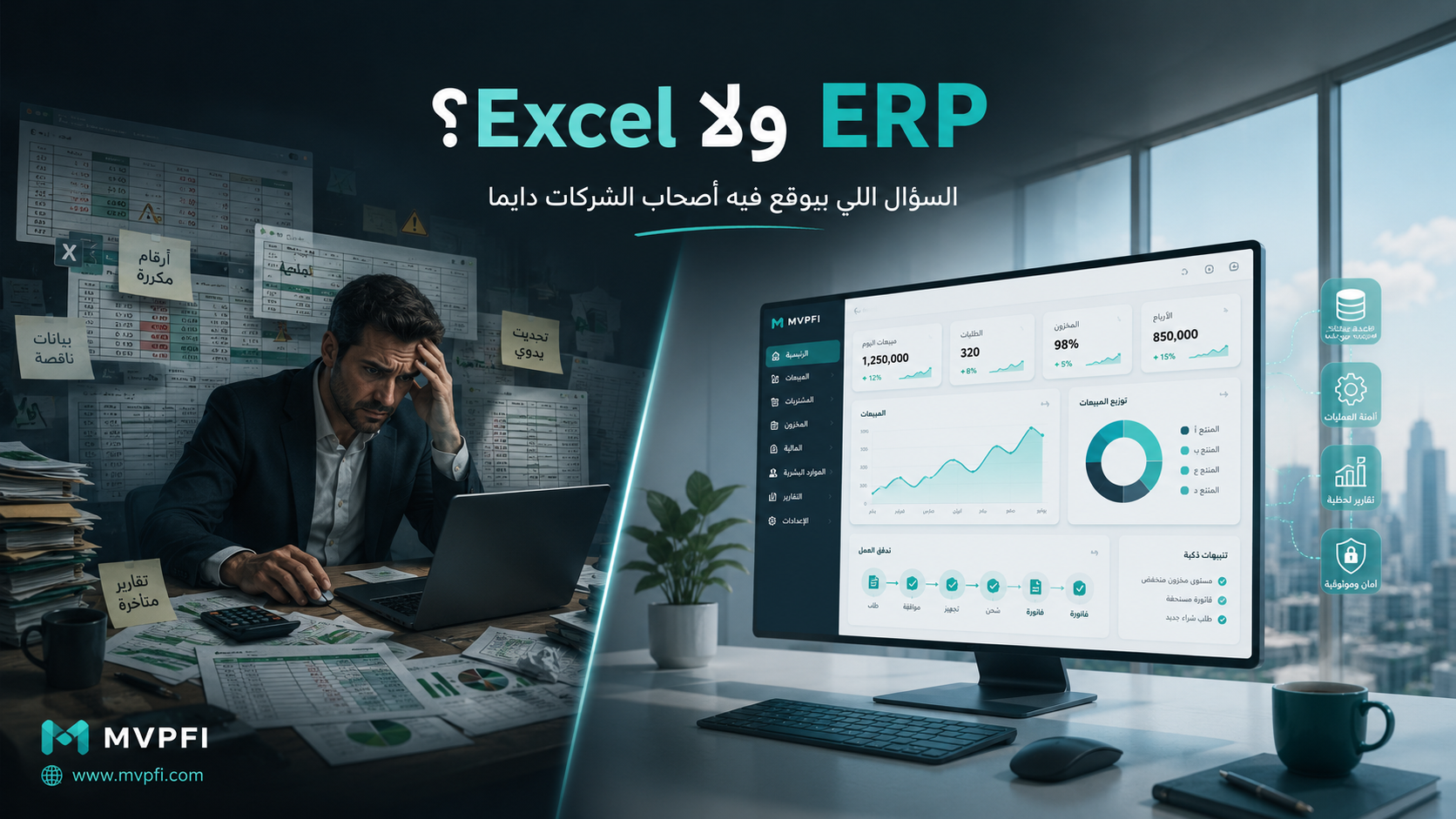
ERP or Excel? — The Question That Always Confuses Business Owners
Excel is a powerful and useful tool, but it is not always the right system for managing a growing business. The real question is not: “Is Excel bad and ERP better?” The right question is: when is Excel enough, and when does it start costing your business more time, errors, and money than an ERP system would?
Many businesses start by managing sales, inventory, accounting, reports, and customer data using Excel. At the beginning, this makes sense: it is fast, simple, familiar, and easy to use. But as customers, invoices, employees, branches, stock movements, and users increase, Excel can slowly turn from a helpful tool into a serious operational bottleneck.
This article does not say Excel is bad. In fact, Excel is excellent for analysis, quick calculations, and flexible reporting. But when Excel becomes the main “operating system” for the entire company, problems begin to appear: duplicated data, delayed reports, unclear permissions, manual errors, and decisions based on outdated numbers.
First: Excel Is an Analysis Tool — Not a Full Business Operating System
Excel is highly useful for spreadsheets, calculations, simple models, financial analysis, and quick tracking. However, it was not designed to fully manage sales, purchasing, inventory, accounting, HR, permissions, workflows, and reports at the same time.
ERP, on the other hand, connects core business processes into one system and one database. Sales, purchasing, inventory, finance, HR, reports, approvals, and workflows can all work together instead of living in separate files.
Excel helps you record and analyze. ERP helps you operate, control, and decide.
When Is Excel Enough?
Using Excel is not wrong in every situation. In some stages, Excel is practical, fast, and cost-effective, especially when the business is small, operations are limited, and only one or two people are working with the data.
Early Business Stage
If the business is still testing the market and the number of customers, orders, and transactions is small, Excel can help collect and understand data before investing in a system.
Temporary Analysis
Excel is excellent for quick comparisons, financial models, margin calculations, temporary reports, and simple planning sheets.
Non-Repeated Processes
If a process happens once or rarely, it may not require a complete ERP module or automated workflow.
Very Small Teams
If one person owns the file and there are no complex permissions, branches, approvals, or heavy reporting needs, Excel may be enough temporarily.
When Does Excel Start Creating Problems?
The problem usually does not appear suddenly. It starts gradually: a new file here, another copy there, one employee changes a number by mistake, a report is delayed, inventory does not match, or an invoice is not updated on time. Over time, management loses trust in the numbers.
1. When the Same Data Exists in Multiple Places
If customer data exists in a sales file, accounting file, customer service file, and collection file, you do not have one data system. You have disconnected islands. A change in one file may not appear in the others.
A major warning sign: if the same information is entered more than once in different files, your business probably needs a unified system.
2. When You Cannot Know the Correct Number Now
A business owner does not need to know sales after two days. They need to know now. They should not wait for manual stock collection, manual report preparation, or updates from every department. If decisions depend on delayed reports, the decisions will also be delayed.
3. When Permissions Become a Problem
Excel can protect sheets and files, and Microsoft 365 allows collaboration through OneDrive and SharePoint. But that does not turn Excel into a full permission-based business system. In ERP, you can define who can view, add, edit, approve, delete, or review every process.
4. When Manual Errors Increase
The more your team depends on copying, pasting, manual entry, and formulas, the higher the risk of mistakes. One wrong formula, cell, or file version can affect an entire report, especially in accounting, inventory, pricing, and collections.
When Does ERP Become Necessary?
ERP becomes necessary when the business needs to connect departments, data, approvals, and decisions into one clear operating flow. The more daily transactions, users, branches, inventory movements, approvals, and reports you have, the riskier it becomes to depend on Excel alone.
Unified Database
Customers, products, invoices, inventory, accounts, and transactions are stored in one place instead of scattered files.
- Less duplication
- Real-time updates
- One source of truth
Clear Workflow
An order can move from request to approval, invoice, stock movement, delivery, and collection with clear ownership at every step.
- Organized approvals
- Clear responsibilities
- Less operational chaos
Real-Time Reports
Management can see sales, inventory, profit, collections, and key performance indicators without manual collection.
- Dashboards
- Smart alerts
- Faster decisions
ERP vs Excel: A Practical Comparison
| Point | Excel | ERP |
|---|---|---|
| Best Use | Analysis, spreadsheets, and simple tracking | Managing daily business operations |
| Data Source | Often multiple files | Unified database |
| Permissions | Limited compared to specialized systems | Role-based and department-based permissions |
| Reports | Often require manual collection and cleaning | Real-time reports and dashboards |
| Errors | Higher risk from manual entry, formulas, and file versions | Reduced through automation and workflow controls |
| Growth | Becomes harder as operations increase | Designed to scale with departments and processes |
Clear Signs Your Business Needs ERP
Sales Are Not Visible Instantly
If you wait until the end of the day or week to know sales performance, you are not seeing your business in real time.
Inventory Does Not Match
If the stock number in the file does not match what is actually in the warehouse, the issue is not only counting — it is the system.
Every Department Has Its Own File
Sales has one file, accounting has another, inventory has another, and management is trying to manually combine the picture.
Approvals Happen on WhatsApp
If requests, approvals, and changes happen through scattered conversations, you lose tracking, documentation, and control.
You Do Not Know the Real Operating Cost
ERP connects sales, inventory, cost, collection, and finance so you understand real profit, not just revenue.
Your Team Is Growing and Files Are Increasing
Every new employee and every new file increases the risk of conflict, delay, and unclear responsibility.
Does ERP Mean You Stop Using Excel Completely?
No. In organized companies, Excel remains useful for custom analysis, temporary models, comparisons, and planning. But it should not be the main system used to operate the whole business.
The smarter approach is to use ERP as the main source of truth, then export data or reports to Excel when special analysis is needed. This way, Excel becomes an analysis tool, not a substitute for business management.
Use Excel to analyze data — not to run the entire company.
How to Move From Excel to ERP Without Chaos
Moving to ERP should not happen randomly. The best approach is to analyze processes, clean data, define priorities, and implement the system in stages.
List Files and Processes
Collect the files used for sales, inventory, accounting, HR, and reporting, and identify repeated or conflicting data.
Clean the Data
Review customers, products, codes, prices, stock, invoices, and balances before importing them into the new system.
Start With Key Modules
Do not start with everything at once. Begin with sales, inventory, or finance depending on your biggest operational pain point.
Common Mistakes When Choosing ERP
Choosing Only by Lowest Price
The cheapest system is not always the best if it does not cover core processes or support future growth.
Implementing Everything at Once
Moving all departments at once without preparation and training can create resistance and confusion.
Ignoring Team Training
ERP is not only software. It is a new operating method. Its success depends on user training and management commitment.
Importing Bad Data
Moving messy Excel data into ERP only transfers the problem into a new system instead of solving it.
Decision Test: Stay With Excel or Move to ERP?
| Question | If Yes | Likely Decision |
|---|---|---|
| Do multiple departments work on the same data? | Yes | ERP is better |
| Do reports take too long or require manual collection? | Yes | ERP is better |
| Do inventory or invoice errors happen repeatedly? | Yes | ERP is better |
| Are your operations small and temporary? | Yes | Excel may be enough |
| Do you need permissions, approvals, and tracking? | Yes | ERP is better |
| Do you use Excel only for analysis? | Yes | Correct usage |
Conclusion
Excel is a great tool, but it is not always a long-term replacement for ERP. If your business is small and operations are simple, Excel may be enough temporarily. But if operations, departments, data, inventory, permissions, or real-time reporting needs increase, depending on Excel alone can become a hidden cost.
ERP does not have to mean unnecessary complexity. The right system helps you see your business clearly, reduce errors, connect departments, and make decisions based on real data instead of scattered files.
The smart decision is not “ERP always” or “Excel always.” The smart decision is using each tool in the right place.
Move From Scattered Files to a Clear, Scalable Business System
MVPFI helps you analyze your current operations, clean your data, define the right modules, and build an ERP or Business Management System that fits your current size and future growth plan.
Frequently Asked Questions
Is Excel enough to manage a business?
Excel may be enough at the beginning or for small operations, but it becomes limited when data, departments, permissions, workflows, and real-time reporting needs increase.
When do I need ERP instead of Excel?
You need ERP when multiple departments depend on the same data, reports are delayed, errors repeat, or you need permissions, approvals, inventory, sales, and finance to work together.
Does ERP replace Excel completely?
No. Excel remains useful for analysis and temporary models. The better approach is to make ERP the main source of truth and use Excel for special analysis when needed.
What is the biggest risk of relying on Excel?
The biggest risk is losing trust in the numbers because of multiple file versions, manual entry, wrong formulas, unclear permissions, and delayed reports.
Is ERP suitable for small businesses?
Yes, if the ERP is appropriate for the company size and implemented gradually. Small businesses can start with essential modules such as sales, inventory, and accounting.
What is the difference between ERP and accounting software?
Accounting software focuses mainly on finance, invoices, and balances. ERP connects finance with sales, purchasing, inventory, HR, reports, approvals, and workflows.
How do I start moving from Excel to ERP?
Start by listing current files and processes, cleaning data, identifying the biggest operational problems, then implementing the system in stages with team training.
How can MVPFI help move from Excel to ERP?
MVPFI helps analyze current operations, define the right modules, design workflows, build the system, migrate data, train the team, and support operations after launch.
Add New Comment