 English
 العربية
5 Security Mistakes Small Businesses in Egypt Make Without Realizing
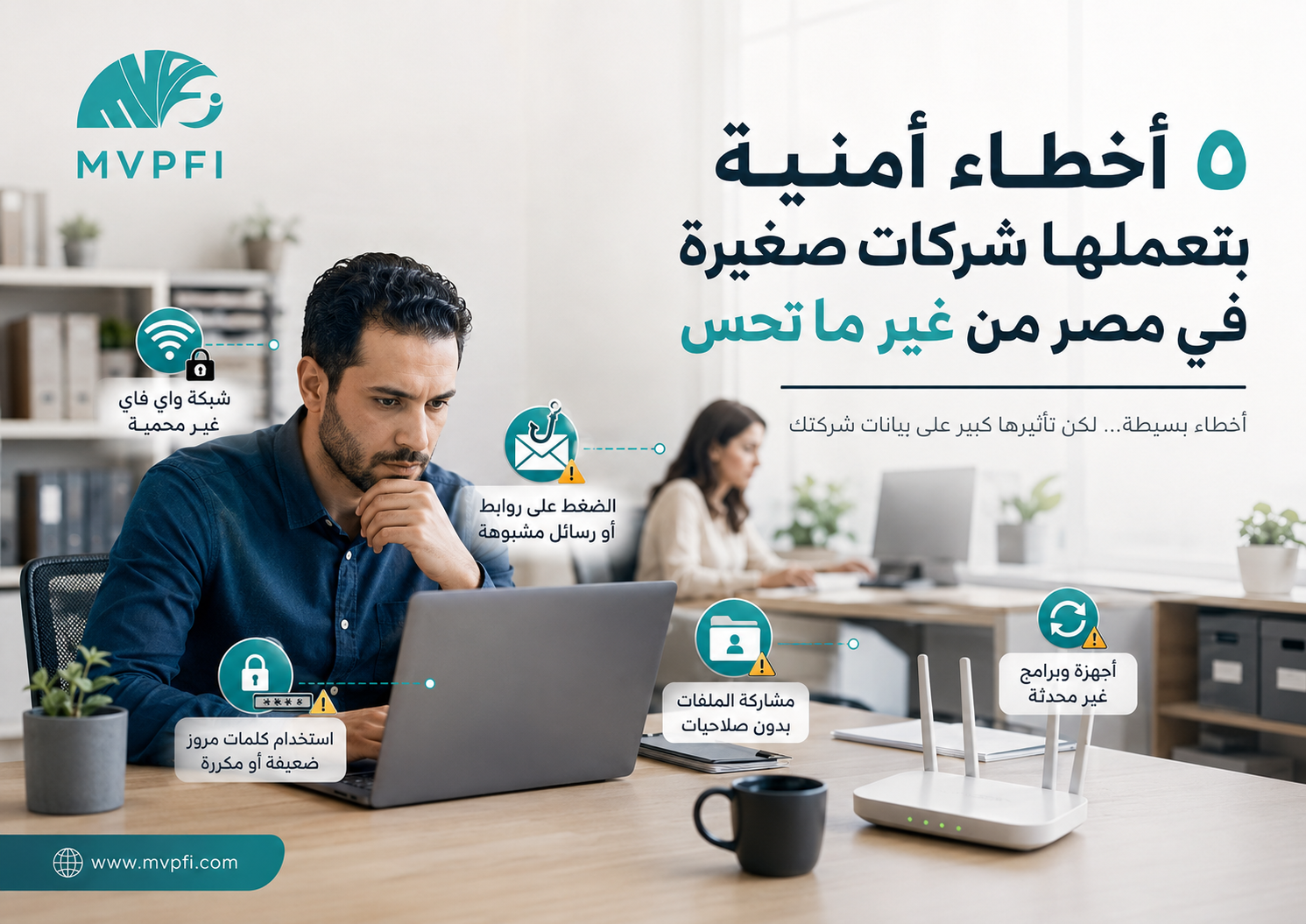
Most security problems do not always start with a complex hack or a highly skilled attacker. In many small businesses, the issue begins with very simple mistakes: a weak password, an open Wi-Fi network, a suspicious link, a shared file with no permissions, or a device that has not been updated for months.
Small businesses in Egypt often focus on sales, operations, customers, expenses, and daily competition. That is normal. But in the middle of daily pressure, small security details are often ignored — and those details can later turn into serious problems: lost files, stolen accounts, disabled devices, leaked customer data, or system downtime at a critical moment.
This article is not meant to scare you. It is meant to explain 5 common security mistakes your business may be making without realizing it, and how to start fixing them with practical steps that fit small businesses.
Before the Mistakes: Cybersecurity Is Not Only for Big Companies
Some business owners believe cybersecurity is only important for banks, large corporations, or international companies. In reality, a small business may be more exposed because it often does not have a full IT team, clear access policies, or regular monitoring for devices and networks.
The risk is not only that one device gets infected. The real risk is that sales operations may stop, customer data may be lost, company email may be misused, or important files may become unavailable when the business needs them most.
Cybersecurity in a small business starts with daily habits: passwords, updates, access permissions, networks, and employee awareness.
A Quick Look at the 5 Mistakes
Mistake 1: Using Weak or Repeated Passwords
One of the most common mistakes is using passwords that are easy to guess: the company name, phone number, birth date, employee name, or simple words like 123456 and admin123. The problem becomes worse when the same password is used for email, admin panels, POS devices, accounting systems, and social media accounts.
If one password is leaked or discovered, it may open more than one door inside the business. That is why passwords should not be treated as a small detail. They are the first line of defense for your accounts and systems.
Use Long Passwords
The longer and less predictable the password is, the harder it becomes to guess. Avoid using company names or obvious information.
Do Not Reuse Passwords
Do not use the same password for email, systems, social media, hosting, and business tools.
Enable Multi-Factor Authentication
MFA or 2FA adds an important security layer, especially for email accounts, admin panels, financial accounts, and business systems.
Use a Password Manager
Instead of writing passwords on paper or inside an Excel file, use a trusted password manager to store and manage them more securely.
Warning sign: if more than one employee knows the same email or admin password, you need to organize access and password policies immediately.
Mistake 2: Unsecured Wi-Fi or One Network for Everyone
In many small businesses, one Wi-Fi network is used for employees, customers, visitors, technicians, cameras, printers, and sometimes POS devices. This means every unknown device can get close to the internal business environment.
The problem is not only internet speed. The real risk is that the network may become a doorway to company devices, files, printers, cameras, or internal systems if it is not properly secured and separated.
One Network for Everyone
Employees, guests, printers, cameras, and business devices all use the same network and password.
- Hard to know who is connected
- Guests get too close to internal devices
- Higher risk if the password is shared
Separate Guest Network
Guests get internet access only, without access to business devices, files, printers, or internal systems.
- Separates guests from work devices
- Improves access control
- Reduces internal risks
Network Segmentation
Separate employees, guests, cameras, printers, and sensitive systems based on business needs.
- VLANs when needed
- Clear access rules
- Connected-device monitoring
Mistake 3: Clicking Suspicious Links or Messages
Phishing is not a theoretical risk. A message may look like it came from a bank, shipping company, advertising platform, hosting provider, or even a manager inside the company. It may ask the employee to log in, download a file, pay an invoice, or update account information.
Once an employee clicks the link and enters their credentials, the account may be stolen — even if the device has antivirus software. That is why awareness and training are essential parts of security.
Check the Sender Address
Do not rely only on the display name. Check the real email address and the domain used in the message.
Do Not Open Strange Attachments
Be careful with files that ask you to enable permissions, install software, or enter sensitive information.
Do Not Log In From Suspicious Links
Open the official website manually instead of clicking a link in a message you are not sure about.
Train Employees
Simple regular awareness sessions can prevent one very expensive mistake.
Many attacks do not break the system. They convince an employee to open the door.
Mistake 4: Sharing Files Without Clear Permissions
“Send it to the group,” “Put it on Drive and make the link open,” “Let everyone access the accounting folder” — these phrases sound normal in daily work, but they can create serious security issues.
Sharing files without permissions can expose customer data, invoices, contracts, salaries, proposals, or operational files to people who do not actually need them. The more people have access, the higher the chance of mistakes or leaks.
Apply Least Privilege
Each employee should access only what they need for their job, not all files for the sake of convenience.
Review Open Links
Avoid “Anyone with the link” for sensitive files. Use specific sharing with named users whenever possible.
Separate Department Files
Accounting files are not the same as marketing files, and customer data should not be available to every team.
Remove Access for Former Employees
When an employee leaves, their access to email, files, systems, and shared folders should be removed immediately.
Mistake 5: Outdated Devices and Software
Delaying updates is one of the mistakes that looks simple but can be dangerous. Updates do not only add new features. They often fix security vulnerabilities in operating systems, browsers, software, routers, and business systems.
An outdated device may become the weakest point in the company. Old software may contain known vulnerabilities that are easier to exploit than updated systems.
Laptops and Computers
Make sure operating systems, browsers, and security tools are updated regularly.
Routers and Wi-Fi Devices
Review router updates, network device firmware, and default admin passwords.
Business Software
Sales, accounting, inventory, CRM, or business management systems need regular maintenance and updates.
Quick Table: Mistake, Impact, and Fix
| Mistake | Possible Impact | Practical Fix |
|---|---|---|
| Weak or repeated passwords | Account theft or unauthorized access | Strong passwords + MFA + password manager |
| Unsecured Wi-Fi | Unknown devices getting close to the business network | Guest network + WPA2/WPA3 |
| Clicking suspicious messages | Credential theft or malicious downloads | Employee awareness + email protection + verification before clicking |
| Sharing files without permissions | Data leaks or inappropriate access | Access control + review open links |
| Delaying updates | Known vulnerabilities in devices and software | Regular updates + device and system monitoring |
A Protection Layer You Should Not Ignore: Backup
Even if you fix the five mistakes, do not depend only on prevention. Regular backup is essential because any business may face accidental deletion, device failure, file encryption, or system problems.
A good backup does not only mean having a copy of files. The backup should be regular, stored securely, and recoverable when needed. Most importantly, recovery should be tested from time to time.
A backup that cannot be restored during a crisis is not a real backup.
A Simple Plan Your Business Can Start Today
You do not need to start with a huge project or a large budget. Start with small but effective steps, then improve your security level gradually based on your company size and the type of data you handle.
Review Accounts and Passwords
Change weak passwords, enable MFA, and remove old or unused accounts.
Separate Networks and Files
Create a guest Wi-Fi network, review file permissions, and separate sensitive department data.
Update, Train, and Back Up
Update devices and software, train employees against phishing, and organize backups properly.
Conclusion
Security mistakes in small businesses are not always complicated. Sometimes they are very simple: a repeated password, open Wi-Fi, a suspicious message, a file available to everyone, or an outdated device.
But the impact of these mistakes can be serious: business downtime, data loss, stolen accounts, leaked files, or damage to the company’s reputation with customers.
The right start is to treat cybersecurity as part of business operations — not as something to think about only after a problem happens.
Start With a Simple Security Review Before Small Details Become a Crisis
MVPFI helps you review account security, business networks, company devices, file permissions, backups, and employee awareness to avoid common security mistakes.
Frequently Asked Questions
Do small businesses in Egypt need cybersecurity?
Yes. Any business that has email accounts, devices, customer files, internal systems, or online tools needs an appropriate level of protection based on its size and data sensitivity.
What is the most common security mistake in small businesses?
One of the most common mistakes is using weak or repeated passwords and not enabling multi-factor authentication for important accounts.
Is antivirus enough?
No. Antivirus is important, but it is not enough by itself. Businesses also need secure networks, strong passwords, access control, backups, updates, and employee awareness.
How can I secure company Wi-Fi?
Use WPA2 or WPA3 encryption, a strong password, a separate guest network, and regular review of connected devices. Do not share employee Wi-Fi with visitors.
Why is MFA important?
Multi-factor authentication adds an extra layer of protection, so knowing the password alone is not enough to access the account.
Is sharing files through open links risky?
Yes, especially for sensitive files. It is better to share files with specific people and give each person only the access level they need.
Why are software updates important?
Updates often fix security vulnerabilities. Delaying updates for too long can make devices and software easier to exploit.
How can MVPFI help protect small businesses?
MVPFI helps assess the current security situation, secure accounts and networks, organize permissions, prepare backups, and provide technical solutions that fit the size of the business.
Add New Comment