 English
 العربية
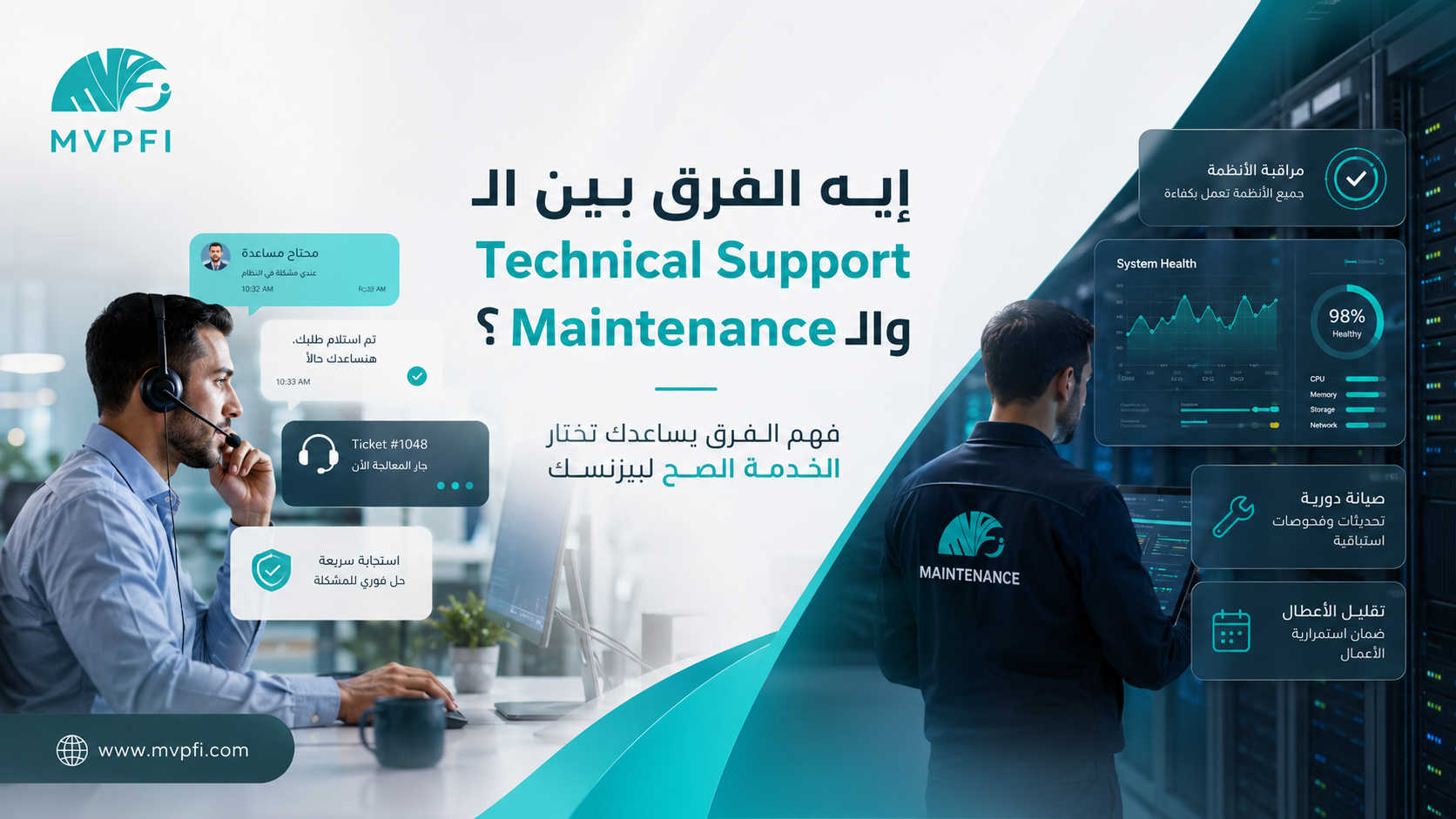
What Is the Difference Between Technical Support and Maintenance?
Many businesses confuse Technical Support with Maintenance, although each one plays a different role in protecting company operations. Technical Support helps when a user faces a problem or needs assistance, while Maintenance focuses on preventing problems before they happen and keeping systems stable over time.
If your business has a website, e-commerce store, ERP system, CRM, internal network, business email, servers, or any digital platform, you will often hear two terms: Technical Support and Maintenance. Some companies present them as if they are the same service, but the difference matters when defining scope, cost, responsibilities, and service expectations.
Understanding the difference helps you know exactly what your business needs, avoid misunderstandings with your technology provider, and make sure your operations are not only supported after problems happen — but also protected through regular checks and preventive work.
Simply: What Is Technical Support?
Technical Support is the service that handles user requests and daily technical problems. For example, when an employee cannot log in, a customer faces an issue with an order, a website page shows an error, or business email stops working — this is where technical support steps in.
Technical Support is usually reactive. A problem, question, or request appears, a ticket is opened or the support team is contacted, then the team diagnoses, responds, solves, or escalates the issue.
Technical Support responds when a problem appears — and turns user confusion into a clear solution.
What Is Maintenance?
Maintenance is a set of regular activities designed to keep a system, website, server, network, or application stable, secure, and performing properly. Maintenance does not always wait for a problem to happen. It focuses on prevention, monitoring, updates, and continuous improvement.
Maintenance can include system updates, backups, performance monitoring, security reviews, cleaning old files, testing critical functions, checking errors, and improving speed and stability. Its goal is to keep the system working efficiently and reduce unexpected downtime.
The Core Difference Between Technical Support and Maintenance
The core difference is that Technical Support focuses on helping users and solving problems when they appear, while Maintenance focuses on long-term system health. Technical Support asks: “What is the issue now?” Maintenance asks: “How can we prevent this issue from happening again?”
| Point | Technical Support | Maintenance |
|---|---|---|
| Main Role | Solves user issues and responds to requests | Keeps the system stable, updated, and healthy |
| Work Style | Usually reactive after a request or problem appears | Preventive and scheduled to reduce failures |
| Example | An employee cannot log in | Reviewing updates, backups, performance, and security |
| Key Metric | Response time, resolution time, and follow-up quality | Uptime, fewer repeated issues, performance, and security |
| Result | Current user problem is solved | The system becomes less likely to fail or repeat issues |
Practical Examples of Technical Support
Technical Support appears when a user, customer, or employee needs direct help or a specific issue needs to be solved. These are common examples inside businesses:
Login Problems
An employee cannot access the system, forgot a password, or needs account activation or permission review.
Website or Store Errors
A page does not open, a button does not work, an order does not appear, or a customer faces an issue during checkout.
System Usage Questions
A user needs to know how to generate a report, add a product, edit an order, or use a specific feature.
Urgent Issue Escalation
A system outage, payment issue, business email failure, or error affecting customers or daily operations.
Practical Examples of Maintenance
Maintenance does not always wait for users to complain. It is regular or scheduled work that keeps systems healthy and reduces surprises.
Regular Updates
Updating the system, plugins, libraries, admin panel, or server components to reduce vulnerabilities and technical issues.
Backup Management
Making sure regular backups exist and can be restored if data is deleted, corrupted, or affected by failure.
Performance Monitoring
Monitoring website speed, server usage, errors, traffic pressure, and downtime indicators.
Security Review
Checking user permissions, login attempts, SSL certificates, security updates, and access settings.
Good technical support solves problems quickly, but good maintenance reduces the number of problems in the first place.
A Simple Example That Explains the Difference
Imagine you have an e-commerce store. A customer tries to pay but receives an error message. Technical Support steps in to understand the issue, review the order, respond to the customer, and solve or escalate the error.
Maintenance, on the other hand, regularly reviews the payment gateway, updates, error logs, checkout page speed, and test orders to reduce the chance of this issue appearing for customers in the first place.
After the Problem Appears
A customer faces an issue, a ticket is opened, and the team starts diagnosis, response, and resolution.
Before the Problem Repeats
The team reviews the system regularly, identifies warning signs, and fixes the root cause before it repeats.
The Best Result
Fast support when needed, and maintenance that reduces downtime and protects customer trust.
Do You Need Technical Support or Maintenance?
In most businesses, you need both. Technical Support is important because daily issues and user requests never fully stop. Maintenance is important because relying only on reaction means your business always moves after damage happens.
If your system or website affects sales, operations, or customer experience, having Technical Support without Maintenance means you only fix problems after they appear. Having Maintenance without Technical Support means the system is monitored, but users may not find clear help when they need it.
| Your Situation | Priority | Why? |
|---|---|---|
| You have users who need daily help | Technical Support | To handle requests, issues, and user guidance |
| You have a website or store that needs stability | Maintenance | To monitor performance, updates, backups, and security |
| You use ERP or CRM systems | Both Together | You need user support and continuous system maintenance |
| You have servers or internal networks | Maintenance + Emergency Support | To prevent failures and respond quickly during outages |
Why Confusing Them Causes Contract Problems
When the difference is not clearly defined in the contract, the client may assume that every update, adjustment, or regular check is included in Technical Support. At the same time, the provider may consider support limited to responding to issues, not regular maintenance, improvements, or updates.
That is why every agreement should clearly define what is included in support, what is included in maintenance, what counts as new development, and what response times apply.
A clear contract does not only protect the service provider — it protects the client from unclear expectations.
What Is Usually Included in Technical Support?
Ticket Intake
Receiving customer or employee requests, recording them, categorizing them, and setting priority based on impact.
Daily Issue Resolution
Handling user errors, login issues, questions, simple bugs, or operational problems inside the system.
Escalation to Specialists
If the issue needs a developer, server engineer, or network specialist, it is escalated in an organized way.
Client Follow-Up
Updating the client or user about issue progress so they do not feel ignored.
What Is Usually Included in Maintenance?
Updates and Regular Checks
Reviewing required updates for the website, system, or server and applying them after checking their impact.
Backup and Recovery
Ensuring regular backups exist and testing whether they can be restored when needed.
Performance Monitoring
Monitoring speed, errors, storage, resource usage, and the health of critical services.
Reports and Improvements
Providing regular notes about repeated issues, risks, and recommendations that improve stability.
What Is Usually Not Considered Support or Maintenance?
It is also important to define exclusions. Some requests may count as new development, not support or maintenance. Examples include adding a new system, designing new pages from scratch, developing new features, or making major workflow changes.
| Request | Usual Classification | Note |
|---|---|---|
| A user cannot log in | Technical Support | A direct user support request |
| Updating website plugins and checking errors | Maintenance | Regular work to preserve stability |
| Adding a new booking system | New Development | A new feature outside normal support and maintenance |
| Full website redesign | Design or Development Project | Not maintenance unless it is a small agreed adjustment |
| Restoring a backup after failure | Maintenance / Emergency | Depends on the contract and backup plan |
How to Choose the Right Package
The right package depends on how important the system is to your business. If the website is only informational, light maintenance and limited support may be enough. If the system manages sales, operations, or customer data, you need faster support, stronger maintenance, and clearer monitoring.
Basic Package
Suitable for a simple informational website that needs limited updates, backups, and light monitoring.
Business Package
Suitable for a company website, store, or system that needs user support, maintenance, and regular checks.
Critical Package
Suitable for systems where downtime directly affects sales, operations, customer service, or business continuity.
Questions to Ask Before Signing
| Question | Why It Matters |
|---|---|
| Are Technical Support and Maintenance separated in the proposal? | So you know exactly what you are paying for |
| What is the expected response time? | To define the service level when problems happen |
| Is there scheduled maintenance? | To ensure preventive monitoring, not only reaction |
| Are backups included? | Because backup is essential for business continuity |
| Are updates tested before being applied? | So an update does not break the system |
| What counts as new development? | To avoid disagreements when requesting new features or major changes |
| Are periodic reports included? | To know what was done, what repeated, and what is recommended |
Conclusion
Technical Support and Maintenance are not the same thing. Technical Support helps users and handles daily problems, while Maintenance keeps the system healthy and reduces the chance of failures.
A company that relies only on support will always react after problems happen. A company that only focuses on maintenance may still leave users without clear help when they need it. The best approach is to combine both: fast support when needed, and regular maintenance that prevents repeated failures.
If your website or system is part of your business operations, do not treat support and maintenance as side costs. Treat them as part of business continuity and customer trust.
Keep Your Systems Stable and Your Team Confident With Clear Support and Maintenance
MVPFI helps you manage technical support, maintain websites and systems, monitor performance, prepare backups, organize tickets, and provide clear reports that reduce downtime and improve customer experience.
Frequently Asked Questions
What is the difference between Technical Support and Maintenance?
Technical Support handles user requests and problems when they appear, while Maintenance focuses on regular updates, backups, performance monitoring, and preventive checks to reduce failures.
Can Technical Support replace Maintenance?
No. Technical Support solves problems after they appear, while Maintenance helps prevent problems, reduce repetition, and improve system stability.
Can Maintenance replace Technical Support?
No. Even with good maintenance, users will still need help with questions, login issues, operational requests, and daily support needs.
Is backup part of Maintenance?
Usually yes, because backup is essential for business continuity. However, it should be clearly mentioned in the contract or service package.
Is adding a new feature considered Maintenance?
Usually no. Adding a new feature or making a major system change is considered new development unless the agreement clearly says otherwise.
Why is a ticketing system important for Technical Support?
A ticketing system records every request, assigns responsibility, tracks status, keeps history, and helps measure support quality.
How often does a business need Maintenance?
It depends on the system type and importance. Simple websites may need monthly checks, while stores and critical systems may need weekly or continuous monitoring.
How can MVPFI help with support and maintenance?
MVPFI provides organized technical support, scheduled maintenance, performance monitoring, backups, ticket management, security reviews, and reports that improve stability and reduce downtime.

Add New Comment