 English
 العربية

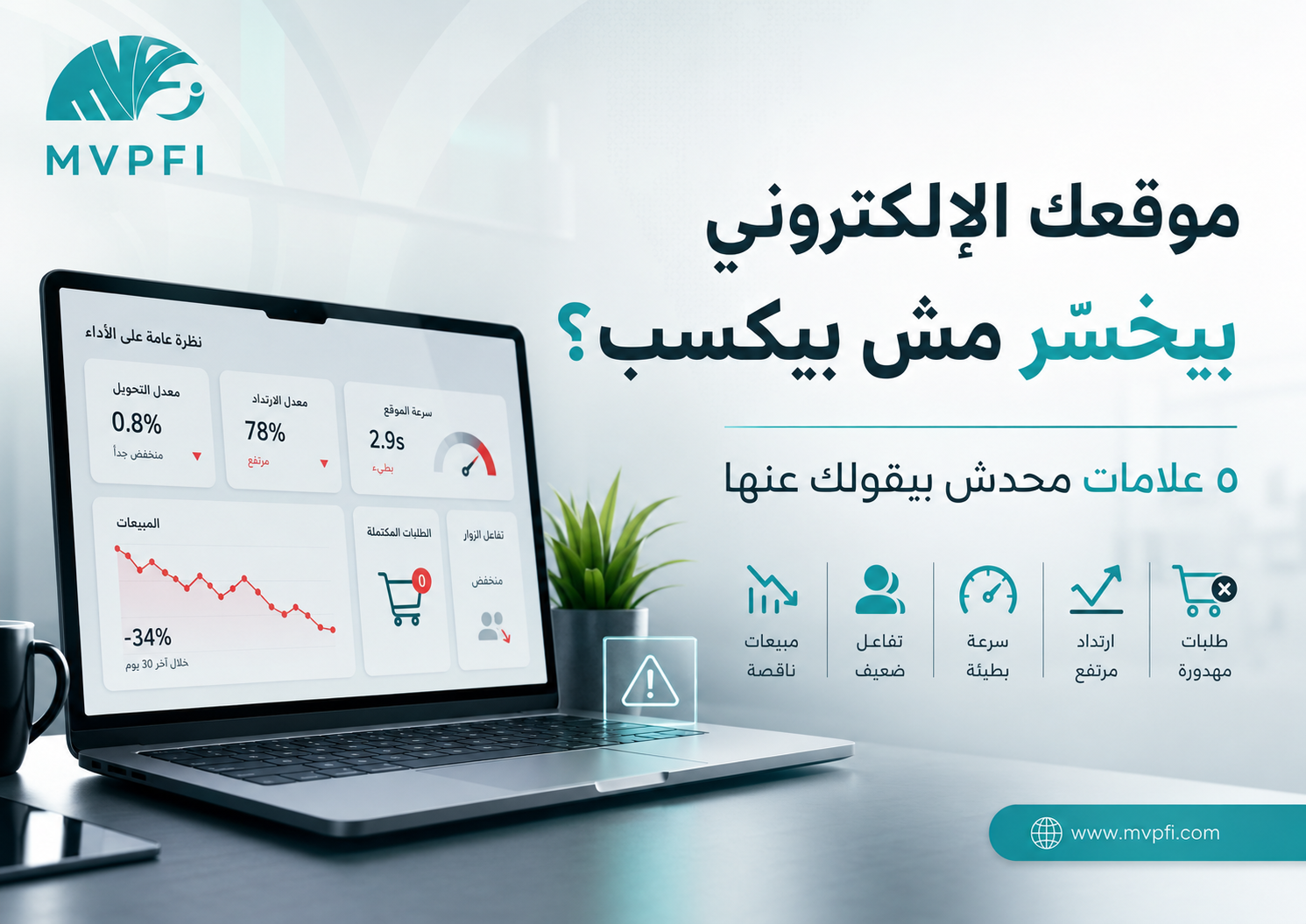
Is Your Website Losing Money Instead of Making It? — 5 Hidden Signs Nobody Tells You About
Having a website does not automatically mean it is helping your business grow. Sometimes, a website looks fine, loads, and even receives traffic — but quietly loses leads, sales, and advertising budget because of slow performance, weak user experience, poor tracking, or pages that fail to move visitors toward the next step.
Many business owners believe their website is “working” as long as it opens in the browser. But a successful website is not measured by existence. It is measured by results: does it generate inquiries? Does it help sell? Does it explain the service clearly? Does it turn visitors into qualified leads?
In this article, we will review 5 real signs that may indicate your website is not working for your business as it should — and may actually be costing you customers, orders, and marketing budget.
Before the Signs: Your Website Is Not a Catalog — It Is a Sales Tool
A website is not just a digital brochure or a place to display your logo and services. For modern businesses, the website is a decision point. Visitors arrive with questions: Is this company right for me? Can I trust it? Do I understand what it offers? Can I contact them easily?
If visitors do not get clear answers within a few seconds, they often leave. Website loss does not always appear as a technical error. It often appears as traffic without results, ads without return, abandoned carts, and contact forms that never get completed.
A website that does not guide visitors toward a clear action is not a growth tool — it becomes a silent cost inside the business.
Sign 1: Your Website Is Slow — Even If It Feels Fast to You
One of the most common mistakes is testing website speed only from your own device. Your website may feel fast because your internet connection is strong, your browser has cached the page, or your device is powerful. But real customers may visit from mid-range mobile phones, weaker networks, and heavy ad landing pages.
Google uses a group of user-experience metrics known as Core Web Vitals. These include LCP, which measures how quickly the main content appears; INP, which measures responsiveness to user interaction; and CLS, which measures visual stability while the page loads.
Speed is not only about comfort. It can directly affect conversions. If the website loads slowly, users may leave before seeing your offer, reading your message, or taking action.
How Do You Know Speed Is Costing You?
Look at the pages that matter most: homepage, service pages, product pages, ad landing pages, checkout pages, and contact pages. If these pages are slow on mobile, use oversized images, load too many scripts, or shift while loading, you are not only losing time — you are losing customer attention.
Practical rule: do not test your website only from your own device. Test mobile performance, use tools such as PageSpeed Insights and Search Console, and review the actual pages customers visit from ads and search.
Sign 2: You Have Traffic — But No Conversions
Traffic alone does not mean your website is successful. You may receive thousands of monthly visits, but if visitors do not become WhatsApp messages, phone calls, form submissions, bookings, purchases, or qualified leads, the website is not achieving its business goal.
The problem may be in the message itself. Visitors may not understand the service quickly, may not find enough trust signals, or may not know what to do next. Sometimes the contact button is unclear, the CTA is weak, or the page has too much text without structure.
Examples of Conversions You Should Measure
WhatsApp Clicks
If your goal is to receive inquiries, you should measure who clicked the WhatsApp button, from which page, and from which campaign.
Contact Form Submissions
Forms should be short and clear. You need to measure how many users started the form and how many completed it.
Appointment Bookings
For clinics, consultants, service businesses, and B2B companies, booking a call or requesting a visit should be tracked as a key event.
Add to Cart or Purchase
For e-commerce websites, visits are not enough. You should track product views, add-to-cart events, checkout starts, and completed purchases.
If your website brings traffic but no conversions, the problem is not the number of people — it is the journey you give them after they arrive.
Sign 3: Bounce Is High or Engagement Is Weak
In Google Analytics 4, engagement has become a critical concept. An engaged session is generally a session that lasts more than 10 seconds, includes a key event, or includes two or more page views. Low engagement may mean that visitors did not find enough value to continue.
A high bounce rate is not always a disaster. Some pages, such as contact pages, may do their job quickly. But if bounce is high on service pages or landing pages, and users spend very little time on the page with no clicks or conversions, that is a clear sign that your message or experience needs improvement.
Common Reasons Behind Weak Engagement
The Headline Does Not Explain the Value
Visitors do not want a long introduction. They want to know quickly: what do you offer, who is it for, and why should they choose you?
The Page Does Not Match the Ad
If the ad promises something specific, but the visitor lands on a generic page that does not answer the same promise, they are likely to leave.
There Is No Clear Path
A good page guides visitors step by step: understand the problem, see the solution, build trust, then take action.
The Design Is Crowded or Distracting
Too many colors, images, buttons, and animations can confuse visitors and make them unsure where to look or what to do next.
Sign 4: Customers Start — But Do Not Complete
This sign is very clear in e-commerce websites, but it also appears in service websites. In an online store, customers may add products to cart and then leave. In a service website, they may start filling a form or click a booking button and then stop.
Cart abandonment is a major issue across e-commerce. It does not always mean the product is bad. Often, the problem is hidden in the final steps: unexpected costs, too many fields, unclear return policy, weak trust signals, or a poor mobile experience.
Why Do Customers Start and Then Disappear?
Unexpected Fees Appear Late
In e-commerce, shipping, taxes, or extra fees appearing at the last step can push customers away, especially if the total cost was not clear earlier.
- Show costs earlier
- Make shipping options clear
- Reduce surprises at checkout
Missing Trust Signals
Customers need to feel the website is reliable: payment methods, return policy, contact details, reviews, guarantees, and clear company information.
- Add clear contact options
- Show policies in simple language
- Use real customer proof
Long or Complicated Forms
Every extra field can increase friction, especially on mobile. If the process feels long or unclear, users are more likely to leave.
- Ask only for what is necessary
- Make buttons clear
- Test the full journey on mobile
Sign 5: You Spend on Ads — Without Knowing the Real Return
The most dangerous loss is not that the website does not sell. It is spending money on ads while thinking the campaign is the only problem, when the real issue may be the landing page, website experience, weak message, or missing tracking.
If your campaigns send traffic to a website that does not track key events, you will not know which campaign brought a real lead, which page lost the opportunity, or which button, form, or checkout step needs improvement. Marketing decisions then become based on guesses instead of data.
What Should You Track?
Traffic Source
Did the visitor come from Google, Meta, LinkedIn, email, organic search, or another source? Every channel should be visible.
Key Events
Track important actions such as WhatsApp clicks, form submissions, checkout starts, purchases, file downloads, or appointment bookings.
Conversion Path
Identify where customers leave: service page, form, checkout, slow-loading page, pricing section, or unclear CTA.
Lead Quality
Not every lead is valuable. Connect the website to your CRM to know which leads became real customers and which were low quality.
Quick Summary: Is Your Website Losing or Winning?
| Sign | Metric to Watch | What to Improve |
|---|---|---|
| Slow website | LCP / INP / CLS / Mobile speed | Compress images, improve code, reduce scripts, and test key pages |
| Traffic without conversions | WhatsApp clicks / Forms / Purchases / Bookings | Improve message, CTA, trust signals, and page structure |
| Weak engagement | Engagement Rate / Bounce Rate / Time on Page | Match ads with landing pages and improve the first screen |
| Customers do not complete | Cart abandonment / Form drop-off / Checkout steps | Reduce steps, show costs clearly, and simplify payment or contact |
| Ads without clear return | UTM / Key Events / CRM / ROAS | Connect analytics, tracking, CRM, and lead-quality measurement |
How Can You Start Fixing the Website Without Rebuilding It From Scratch?
Not every website needs a complete redesign. Sometimes, focused improvements on high-impact pages can produce better results: service pages, product pages, ad landing pages, contact forms, and checkout pages.
Start by reviewing the data, then identify the biggest leak. Is the problem mobile speed? Message clarity? Form friction? Lack of trust? Checkout complexity? Once you identify the issue, make one clear improvement, measure the result, and then move to the next step.
Analyze the Important Pages
Do not start with the entire website. Start with the pages that receive ad and search traffic and directly affect leads or sales.
Find the Leakage Point
Are users leaving quickly? Are they not clicking the CTA? Are they abandoning the form? Is checkout too complicated? Diagnosis matters more than decoration.
Improve and Measure
Apply clear improvements, then monitor conversions, engagement, page speed, and the quality of leads coming through the website.
Conclusion
Your website may look good, but still fail to produce results. The problem is not always visual design. It may be speed, message clarity, tracking, user experience, or the lack of a clear path from visit to decision.
The five signs to watch are: slow performance, traffic without conversions, weak engagement, customers starting but not completing, and ads running without clear return measurement.
A profitable website is not necessarily the most expensive one. It is the clearest, fastest, most trustworthy, and most measurable.
Turn Your Website From a Silent Cost Into a Lead-Generating Channel
MVPFI helps you analyze website performance, improve user experience, build professional landing pages, connect analytics and CRM, and prepare your website to turn traffic into measurable business opportunities.
Frequently Asked Questions
Is having a website enough to generate customers?
No. Having a website is not enough. The website must be fast, clear, trustworthy, measurable, and designed to guide visitors toward a specific action such as contacting, booking, submitting a form, or purchasing.
What is the clearest sign that a website is not producing results?
The clearest sign is traffic without conversions. If people visit your website but do not send messages, submit forms, call, book, or buy, there may be a problem with the message, user experience, or tracking.
Does website speed really affect sales?
Yes. Slow performance can hurt user experience and cause visitors to leave before they view the offer or take action. Mobile speed and Core Web Vitals should be reviewed regularly.
What are Core Web Vitals?
Core Web Vitals are Google page-experience metrics. They include LCP for loading performance, INP for interaction responsiveness, and CLS for visual stability.
Is a high bounce rate always a problem?
Not always. Some pages, such as contact pages, may complete their purpose quickly. But if bounce is high on service pages or landing pages with no conversions, the page should be reviewed.
Why do customers abandon carts or contact forms?
Customers may leave because of unexpected costs, long checkout steps, weak trust signals, slow pages, unclear return policies, or a poor mobile experience.
What is the difference between traffic and conversions?
Traffic means people visited your website. Conversion means visitors completed the action you want, such as sending a message, submitting a form, booking an appointment, adding to cart, or making a purchase.
How do I know if ads are failing because of the website?
If ads bring traffic but no clear conversions, or if the landing page is slow, unclear, or not tracked properly, the website may be the problem — not only the ad campaign.
Do I need to redesign the whole website?
Not necessarily. In many cases, results can improve by optimizing key pages, speeding up the site, improving copy and CTA, reducing friction, and connecting analytics and CRM correctly.
How can MVPFI help improve website results?
MVPFI helps analyze website performance, improve user experience, build professional landing pages, connect Google Analytics and CRM, and create a clear path that turns visitors into leads and business opportunities.
Add New Comment